E-commerce SEO for ChatGPT Shopping: and How to Get Recommended (2026 Ultimate Guide)
.png)
- ChatGPT shopping is when a user asks ChatGPT what to buy, and it responds with curated product picks, comparisons, and shopping advice based on the specific intent of the prompt.
- To be recommended, your product must match buyer intent, with consistent structured data, reviews, safe content, and accurate stock and pricing.
- You optimize by baselining current visibility, fixing product data and pages around real shopper questions, strengthening trust with reviews, and showing up on third-party sites.
- You can track results by running buyer-style prompts in ChatGPT and using tools like WorkDuo to monitor visibility and competitors.
“Which one should I buy?” used to mean opening a new tab and comparing pages. Now, a big chunk of that work has moved into ChatGPT. Shoppers in the US alone ask ChatGPT over 84 million shopping-related questions every week, and they’re happy to let the AI assistant do the filtering for them.
That shift toward ChatGPT shopping means you need to convince an LLM that your product is the most relevant, trustworthy, and safe suggestion to put in front of a buyer who’s ready to spend.
That’s a very different game.
In this article, we’ll look at what “ChatGPT shopping” actually means, what decides whether your products get recommended, and how ecommerce brands can optimize for those AI-driven journeys. You’ll also learn how to track if you’re appearing in ChatGPT’s shopping recommendations and the common mistakes that quietly hurt your visibility.
What Is ChatGPT Shopping?
ChatGPT shopping is when people use ChatGPT to decide what to buy. Instead of scrolling pages of Google search results, they may ask questions like “best gaming laptop under $1,500,” “gift ideas for my boss who enjoys fine dining,” or “which products can fix my back pain?” and get a short list of specific products.
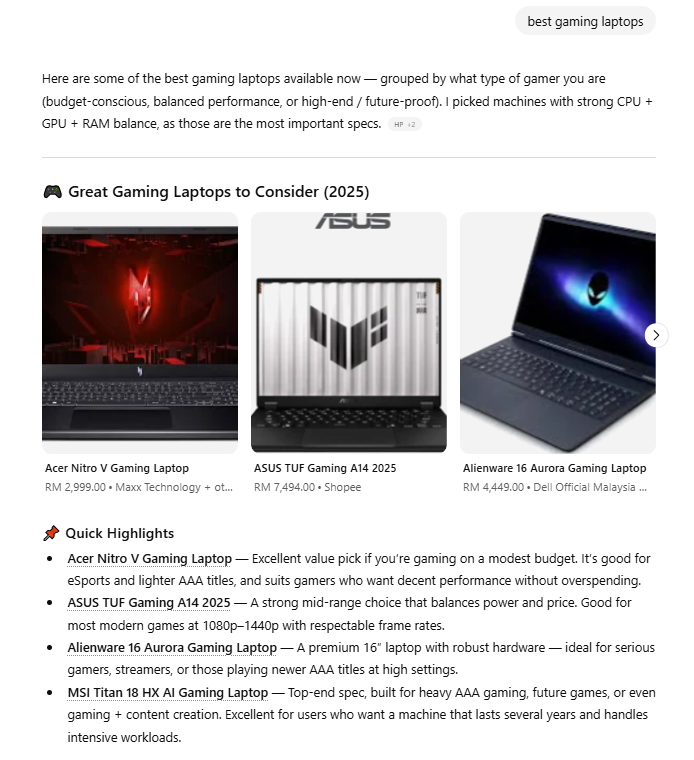
Example of a ChatGPT shopping result for “best gaming laptops,” with a product carousel and quick highlights explaining why each laptop is recommended.
It’s not a special mode, store, or marketplace. It’s ChatGPT giving shopping advice, product suggestions, comparisons, and curated lists based on your intent. Think of it as a decision-support layer in ecommerce, not a storefront, not an ad network, and not an affiliate engine.
On top of quick one-shot lists, ChatGPT now also offers “Shopping Research”, where it asks follow-up questions and turns your intent into a more detailed buyer’s guide. This shift toward agentic shopping allows the AI to act as a proactive assistant rather than a static search engine
You can also learn more about the broader impact of AI search for ecommerce in our in-depth guide
That’s the behavior we’re talking about here, not generic ChatGPT search or browsing, but its role in shaping ecommerce decisions.
What Determines Whether ChatGPT Recommends a Product?
ChatGPT doesn’t recommend products at random; it follows clear signals. Here’s what matters.
1. Relevance and Fit for the User’s Request
First, ChatGPT has to be confident that the product actually fits what the user asked for:
- Do the intent and constraints line up? (category, use case, budget, size, features, region, etc.)
- Do titles, descriptions, specs, category, brand, and other metadata clearly match that intent?
2. Structured Product Data From First- and Third-Party Sources
ChatGPT leans heavily on the structured metadata it receives from:
- Merchant and marketplace feeds (price, description, availability, brand, GTIN/MPN, category, images).
- Third-party providers and other web content that describe the same product.
3. Quality, Trust, and Safety
Even if a product is relevant, ChatGPT doesn’t want to recommend low-quality or risky options. It considers:
- Reviews and ratings, especially from recognized third-party sites.
- How well-written and complete your product page is.
- Whether the site looks legitimate vs. spammy or low quality, and whether it complies with OpenAI’s safety standards and product policies.
- If you’re product is considered “popular” by being featured in high positions on search engine results
You can also learn more about the technical factors required to Rank in ChatGPT Searches in our in-depth guide on AI visibility.
4. Merchant and Listing-Level Factors
When a user clicks a product, ChatGPT may show several merchants for the same item. Those are ranked using signals like:
- Availability (in stock, shippable).
- Price and perceived quality.
- Whether you’re the maker or primary seller.
How Ecommerce Brands Can Optimize for ChatGPT Shopping Visibility?
You need to optimize for how LLMs read product data, not how search engines crawl pages. This shift requires moving your strategy from traditional SEO vs GEO, focusing on generative visibility rather than just blue links. Because this landscape moves so quickly, many teams are now adopting specific GEO monitoring tools for agencies to track these shifts in real time. Here’s the step-by-step approach..
Step 1: Build a Small “AI Shopping Shortlist” to Baseline Your Current Visibility
Don’t try to optimize everything at once. Start by choosing 10-20 products you actually want ChatGPT to recommend.
Choose products that have:
- Good sales (proven demand)
- High margins (worth the effort)
- Clear buyer intent (people ask questions about them)
- Strong reviews (LLMs trust them)
- Clean product data (accurate specs, clear descriptions)
- Low risk (no safety or compliance issues)
For each one
- Write 3-5 real buyer prompts, for example:
- “Best running shoes for flat feet under $150”
- “Affordable gifts for new dads”
- “Desk chair for lower back pain”
- Run each prompt in ChatGPT to see what appears.
- If your product already shows up, you only need light refinement; you don’t need to spend time heavily optimising something that’s already working.
If you want to do this at scale instead of manually copy-pasting, you can plug the same prompt list into an ecommerce AI search tool like WorkDuo to get a more structured AI-visibility baseline. Understanding the track brand mentions in AI search process is the first step toward moving from manual checks to a scalable strategy.
For those looking to upgrade their entire tech stack, you can also explore our breakdown of the best SEO tools for agencies to see which platforms currently lead the market.
You can also follow our detailed guide on how to check ChatGPT brand visibility to ensure your products are surfacing for the right queries.
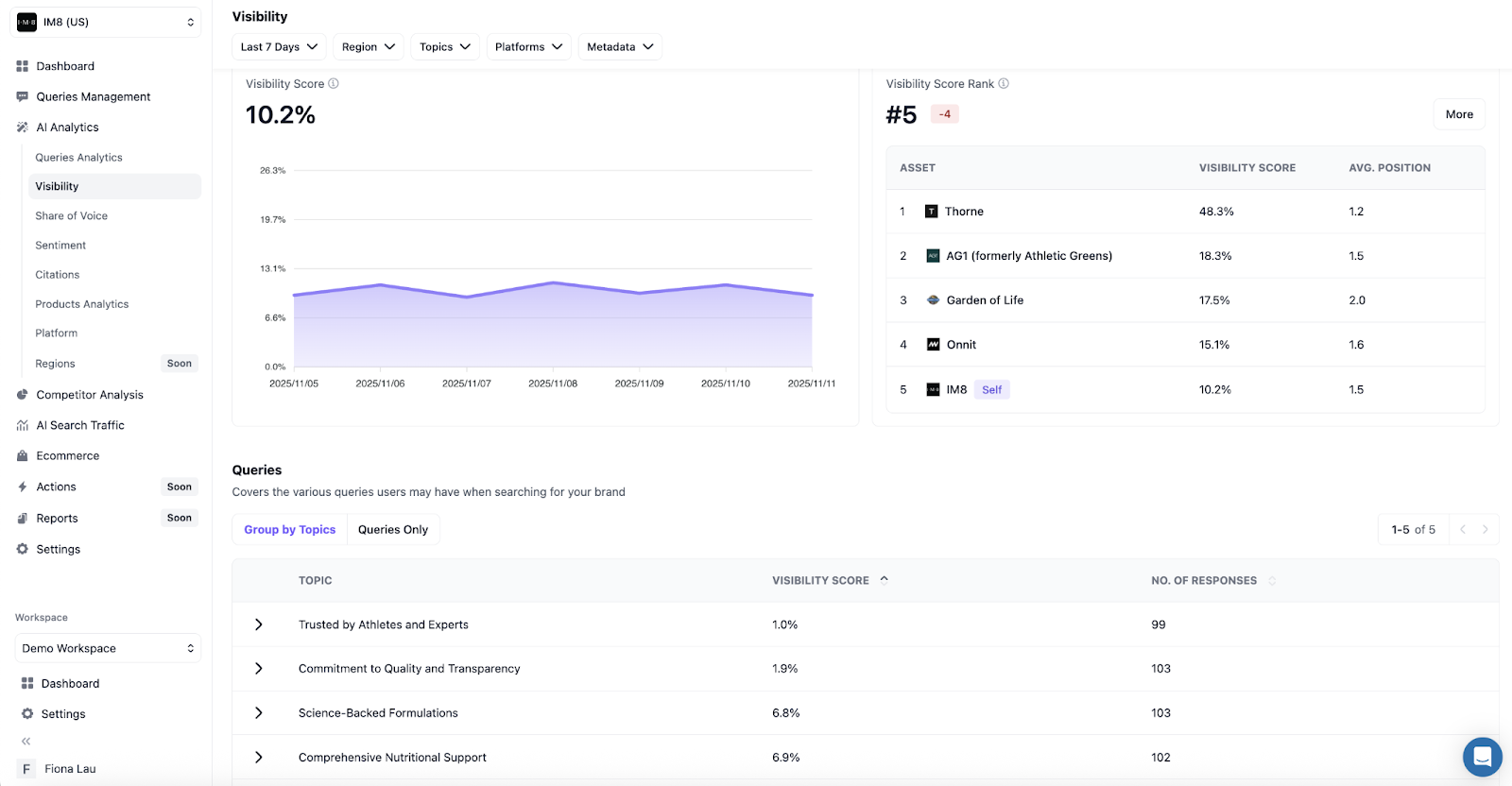
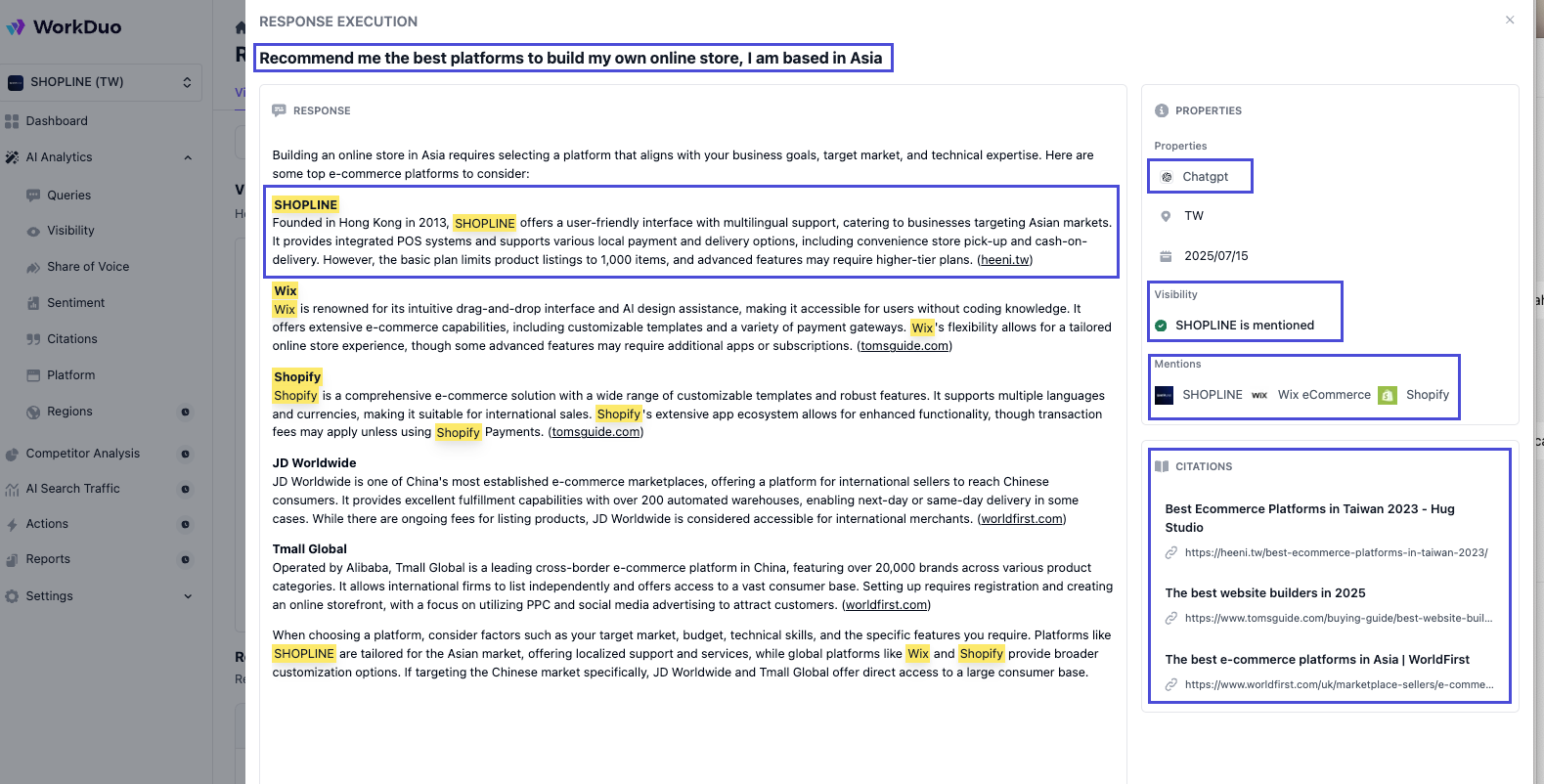
For each prompt, don’t just check “appear/not appear”. Note:
- Do you appear at all?
- Where do you appear in the list?
- Which URL is used for you?
- How are you described?
- Who else is showing up with you?
Step 2: Fix Product Data So an LLM Can Match Intent Confidently
Now take your shortlist and clean up the data behind each product so ChatGPT can tell what it is and who it’s for.
Step 3: Make Your Pages Answer Real Shopper Questions
Your product page should be the clearest possible answer to “Is this right for me?” for a specific buyer.
- Use H2/H3 headings to cover who this is for, sizing/fit or dimensions, use cases, materials, care, compatibility, and what’s in the box.
- Add size guides, comparison tables, FAQs, and “good for/not ideal if…” notes so humans and models quickly see when the product fits and when it doesn’t.
- Include high-quality images (and video where possible) with clear alt text.
- Use copy that speaks in benefits and use cases, not just specs.
Step 4: Strengthen Trust, Reviews, and Third-Party Coverage
If two products look similar, the one with clearer trust signals is safer to recommend.
- Encourage buyers to leave detailed reviews that mention the use case, context, and results.
Make sure you show up on third-party sites in your category (Niche review sites, Reddit, roundups, comparisons, marketplaces). When ChatGPT explains why a product is good, it often draws on independent reviews and listicles. - Make returns, warranty, shipping, and support easy to find and written in plain language.
- Keep your site clean, fast, secure, and free of aggressive or misleading UX.
Step 5: Use Digital PR to Show Up Where LLMs Look
Digital PR makes your products appear in articles, videos, and references that ChatGPT relies on when recommending what to buy.
- Pitch hero products into “best X” and “top picks” roundups on high authority sites in your category.
- Prioritise review sites, marketplaces, and comparison blogs that already rank for your main shopping keywords.
- Give journalists and creators a clear press kit with images, specs, pricing models, and FAQs to accurately describe products.
- Keep product names, categories, and URLs consistent across PR, affiliates, marketplaces, and your own store so models connect every mention back to you.
Step 6: Align Pricing and Merchant Signals With How ChatGPT Ranks Sellers
For products sold by multiple merchants, ChatGPT chooses which sellers to show and in what order.
- Keep availability accurate (in stock/out of stock) across your site and feeds.
- Avoid obvious pricing mismatches, such as being clearly more expensive on your own site than elsewhere.
- If you are the maker, make that clear with cues like “Official store for [Brand].”
Step 7: Monitor and Refine
Re-run your buyer prompts in ChatGPT regularly to see which products and merchants appear.
To do that properly, you’ll need a simple, structured way to track when and where you actually show up. While manual checks are a start, professional ChatGPT SEO tracking tools allow you to automate this data collection across hundreds of different buyer personas.
How to Track Whether You Appear in ChatGPT’s Shopping Recommendations
Here’s how you can see if your products actually show up in ChatGPT Shopping recommendations:
Step 1: Use the Right Prompt Types
Instead of testing random questions, build a small “prompt set” that reflects how real shoppers look for your products:
- Category-based: “best [category] for [audience].”
- Product-type: “[product type] for [specific need].”
- Brand-recognition: “is [Brand] a good [category] for [use case]?”
- Alternative/comparison: “[Brand] vs [Competitor] for [use case].”
- Budget-based: “best [category] under [budget].”
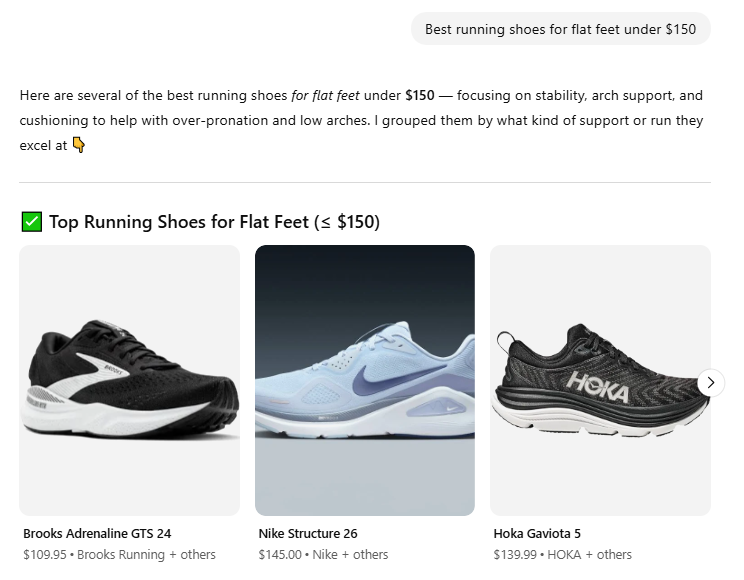
Example of a real shopper-style prompt combining category, need, and budget
Step 2: Pick a Simple Cadence
Decide how often you’ll check:
- Monthly, if you just want a health check.
- Weekly, if you’re actively testing changes to feeds, pages, or pricing.
Step 3: Run Your Prompts in ChatGPT and Log Results
For each prompt, run it in ChatGPT and look for:
- Does a product carousel or product card appear?
- Does any product that clearly matches your catalog show up?
- Are you visible in those cards, or are they all competitors?
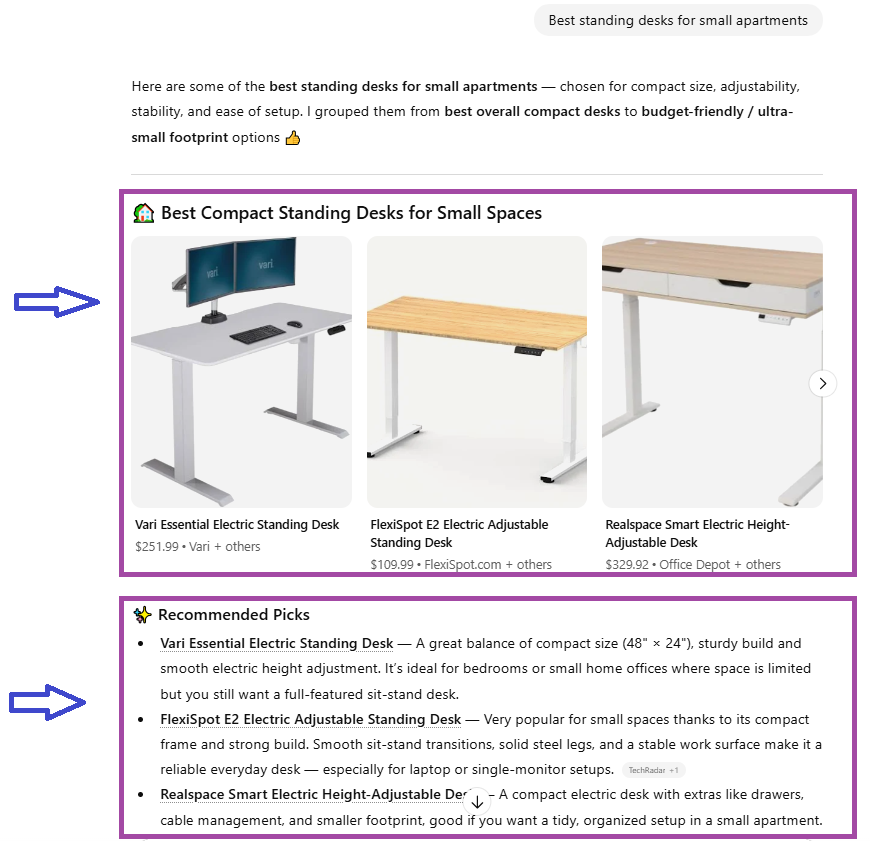
Example of a ChatGPT Shopping result for “best standing desks for small apartments,” showing the product carousel and “Recommended Picks” list, where you can check whether your products appear and what position they take.
Step 4: Click Through and Check Merchant Visibility
Whenever a relevant product appears, click it and check:
- Are you listed as a merchant option at all?
- If yes, where do you sit in the list (top, middle, bottom)?
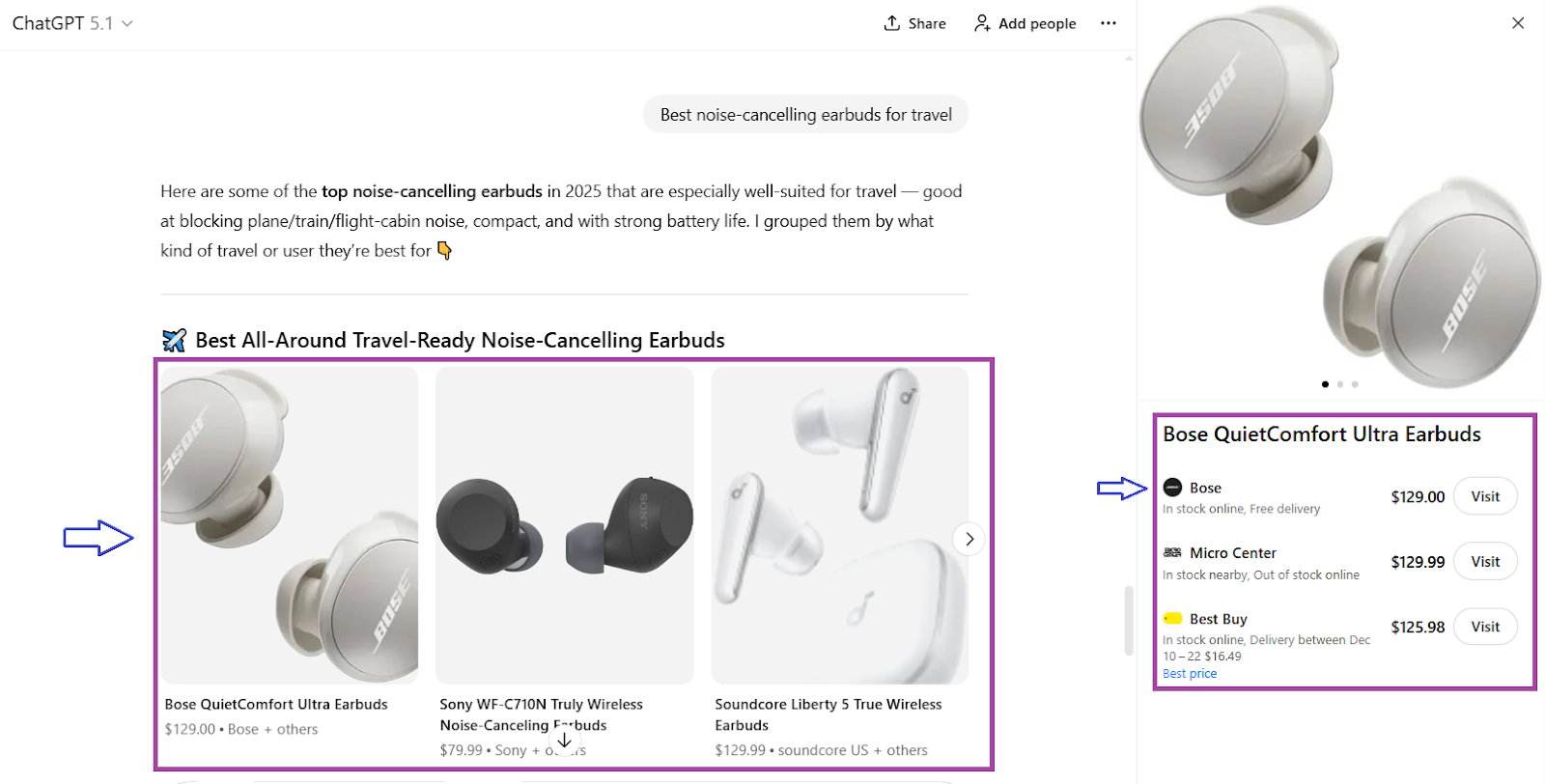
Example of a ChatGPT Shopping result for “best noise-cancelling earbuds for travel,” showing the product carousel and the merchant list for a selected earbud.
Step 5: Look for Patterns, Not One-off Wins
Repeat the same prompt set every cycle and look for patterns:
- Which prompts you never appear for
- Which prompts you appear in, but your products sit below the same competitors every time
- Where visibility improved after specific optimizations
With these steps, you can see where you show up, where you lose, and which changes are worth doubling down on.
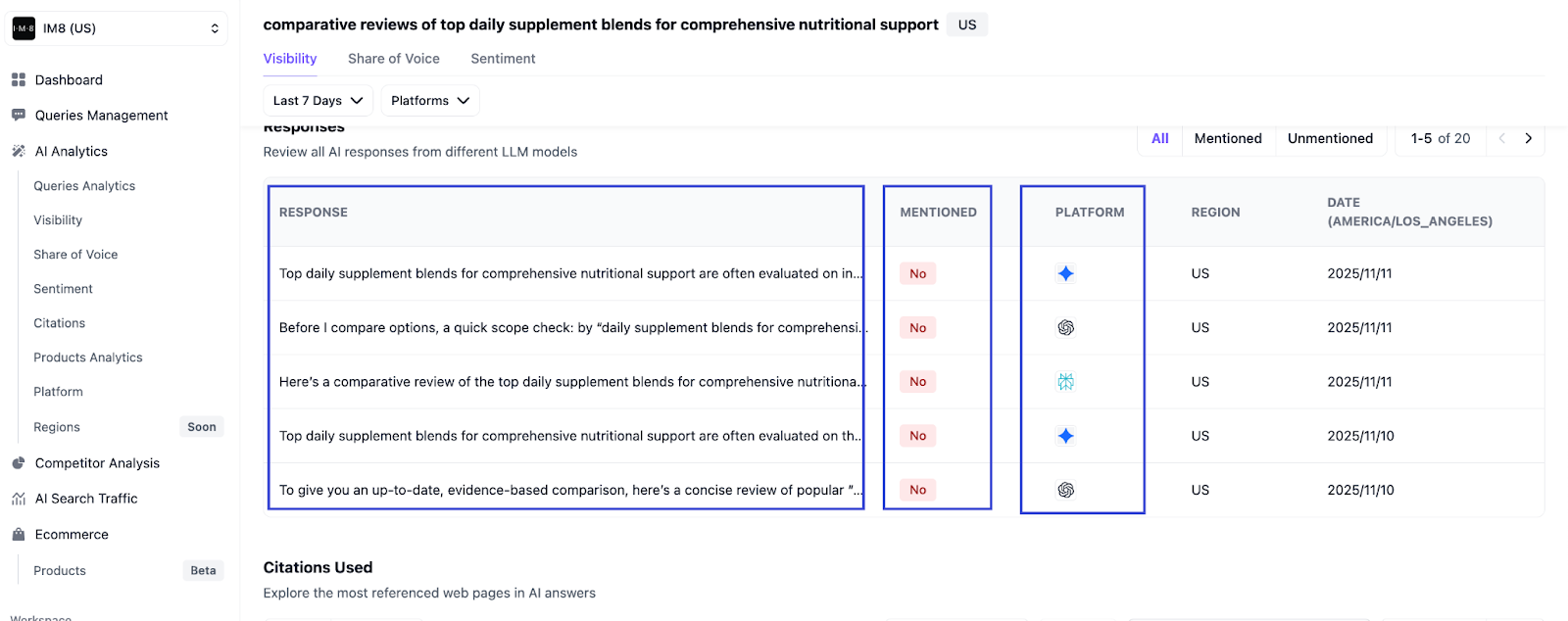
Manual checks are fine at the start, but they are not structured. An e-commerce AI search tracker like WorkDuo can automatically monitor when your brand and individual products are mentioned in ChatGPT responses.
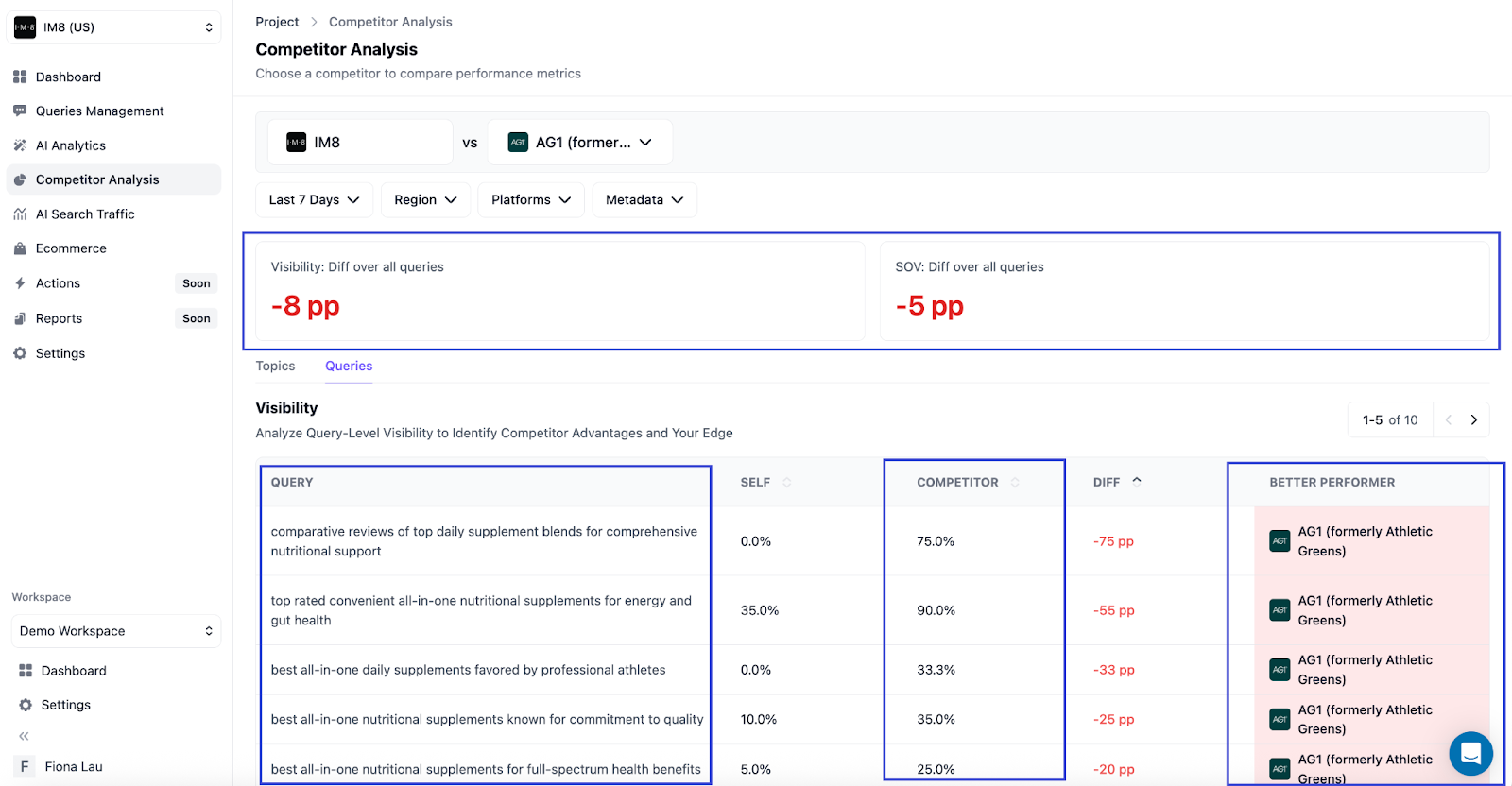
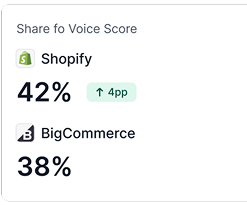
It also tracks your share of voice across key shopping prompts, so you can see whether you're winning visibility against competitors in real buying moments.
Here’s a quick side-by-side table showing the difference between checking your ChatGPT visibility manually and using WorkDuo to track it for you.
Unlike tools that rely on the ChatGPT API and often show incomplete or mixed rankings, WorkDuo uses real-time browser tracking to capture the exact results users see.
Common Mistakes That Affect Your ChatGPT Shopping Visibility
If ChatGPT isn’t recommending your products, it’s often due to simple oversights. Here are the mistakes to eliminate first.
- Missing product attributes: Models can’t match your product if size, material, use case, price, or availability aren’t filled.
- Inconsistent details across sources: Different titles, prices, or specs across sites, feeds, and marketplaces reduce trust and visibility.
- Treating ChatGPT Shopping like normal SEO: Don’t chase keywords and rankings, but never test buyer-style prompts inside ChatGPT.
- Splitting one product across thin URLs: Near-duplicate variant, region, or campaign pages dilute signals and confuse LLMs about which to show.
Track & Monitor How Your Products Show Up in ChatGPT Shopping and Other LLMs With WorkDuo
ChatGPT shopping isn’t a black box when you can see what it’s actually recommending.
WorkDuo tracks when your brand, products, and categories appear across ChatGPT and other LLMs, shows who you’re up against, and connects visibility shifts to real changes in feeds, pricing, and on-site optimization.
Fiona is the Co‑Founder of WorkDuo AI, where she helps brands optimize their AI search visibility. Previously, she co‑founded SHOPLINE, a smart commerce platform in Asia, and led its successful exit to a NASDAQ‑listed company in 2022. With deep expertise in scaling tech businesses and working with global investors, Fiona now advises startups on growth and data-driven decision-making, while leading WorkDuo’s mission to improve how brands are represented in AI-driven search.

Ready to try our product?
Sign up for a free consultation with our experts.


Follow Us on Social Media
Follow our profiles for daily updates, behind-the-scenes content, and more.



More articles