How to Check Brand Visibility in ChatGPT (2026 Guide)
.png)
- Brand visibility in ChatGPT = how often, prominently, and accurately your brand appears in responses to buyer prompts like “best [category] tools”, "alternative to [competitor] tool”.
- To check it, define key buyer prompts, run them in ChatGPT, and log presence, position, narrative, sentiment, competitors, and citations.
- Improve visibility by making pages LLM-friendly, strengthening entity/category signals, and showing up on review sites, listicles, communities, YouTube, and docs.
- Turn checks into a recurring loop and, ideally, use an AI visibility tool (e.g., WorkDuo) to track trends, share of voice, and results.
When buyers ask for “best tools” or “who should I use,” they’re not always going to Google first anymore. They’re opening ChatGPT.
ChatGPT gets around six billion visits a month and over eight hundred million active users, which means a lot of decisions are being shaped in that AI chat interface, not on a search results page. If your brand isn’t being mentioned there, you may be missing out on intent that never shows up in your usual analytics.
In this guide, we’ll walk through how to check your brand’s visibility in ChatGPT, how ChatGPT decides which brands to show, and how to improve your chances of appearing. You’ll also learn how to interpret your results properly and why using an AI visibility tool beats messy, manual checking every time.
What Does “Brand Visibility in ChatGPT” Mean?
Brand visibility in ChatGPT is how often, prominently, and accurately your brand appears in AI-generated answers to real buyer prompts like “best [category] tools” or “[Brand] vs [Competitor].” So if you’re missing there, you’re effectively invisible.
In practice, it comes down to a few simple questions:
- Presence: Do you appear at all for the prompts that matter?
- Position: When you do appear, are you near the top or buried in the list?
- Narrative & sentiment: How does ChatGPT describe you, and is that language positive, neutral, or negative?
- Competitor context: Who shows up alongside you, and who gets the “best for X” slots?
Together, these signals form your “AI shelf space,” which is how present and persuasive your brand is inside ChatGPT’s responses.
5 Step Guide for Checking Your Brand’s Visibility in ChatGPT
Checking your visibility isn’t about asking ChatGPT a few random questions. You need a structured set of prompts and consistent checks.
These steps now follow a clearer flow: define the prompts that matter, run them in ChatGPT and log the results, analyze how the model ranks and describes your brand, act on those insights, and track changes over time. Follow them to get a complete picture of your brand’s presence.
Step 1: List the Prompts That Actually Matter
Start by deciding where you want to be visible in the first place. Focus on the questions your best-fit customers actually ask – the ones who renew, expand, or send referrals.
Examples:
- “Best [your category] tools/software/platforms”
- “[Your brand] vs [competitor]”
- “Alternatives to [competitor]”
- “Which [category] tool is best for [use case/industry]?”
Step 2: Run Your Prompts in ChatGPT and Log Results
Next, take your prompt list and run each one in ChatGPT.
For each answer, record:
- Brand mentioned? - Yes / No
- Position - First, top 3, bottom of the list, or only mentioned in passing
- Narrative - How you’re described in 1-2 sentences
- Sentiment - Roughly positive/neutral/negative
- Competitors mentioned - Who else appears and where
- Notable sources/citations - If visible (e.g., review sites, listicles, docs, Reddit, YouTube)
In a spreadsheet, that gives you simple metrics like:
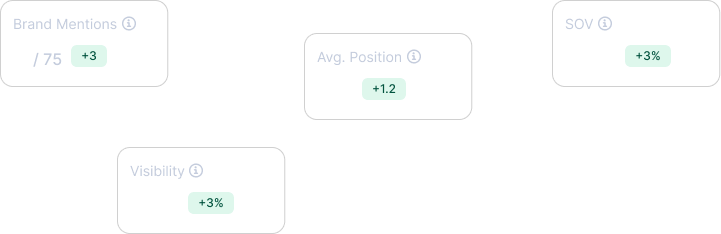
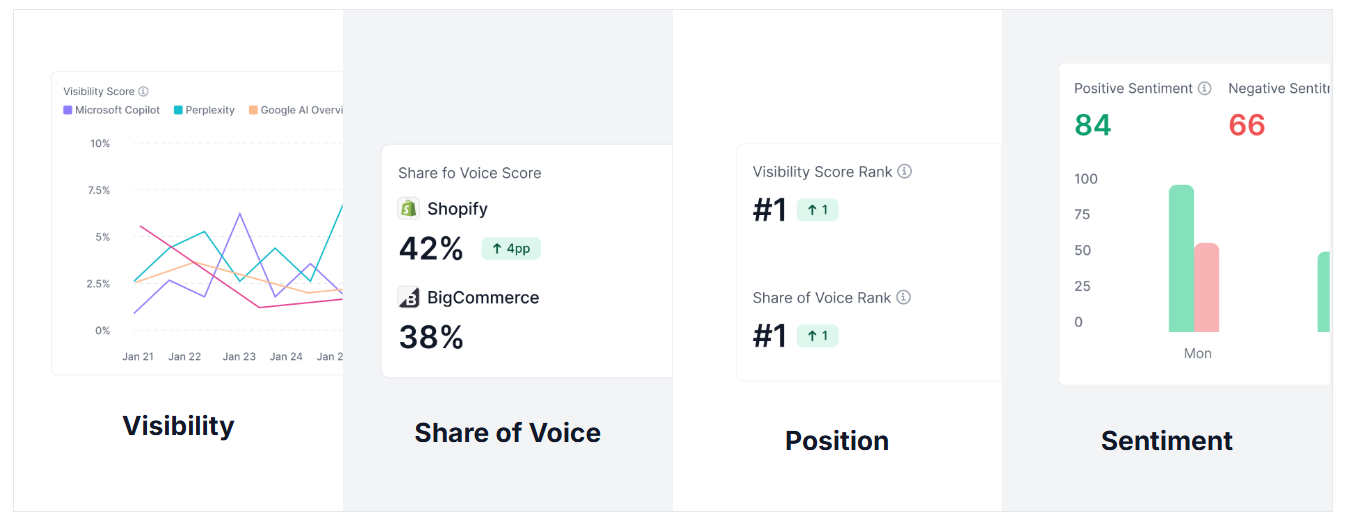
- Visibility - how often you appear for your key prompts
- Share of voice - your mentions vs competitors’ mentions
- Sentiment - whether the model’s language around your brand is positive, neutral, or negative
- Position - where you sit in AI-generated responses
Learning the track brand mentions in AI search framework can help you refine these metrics and ensure your data is actionable for your marketing team
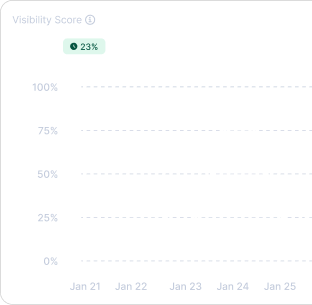
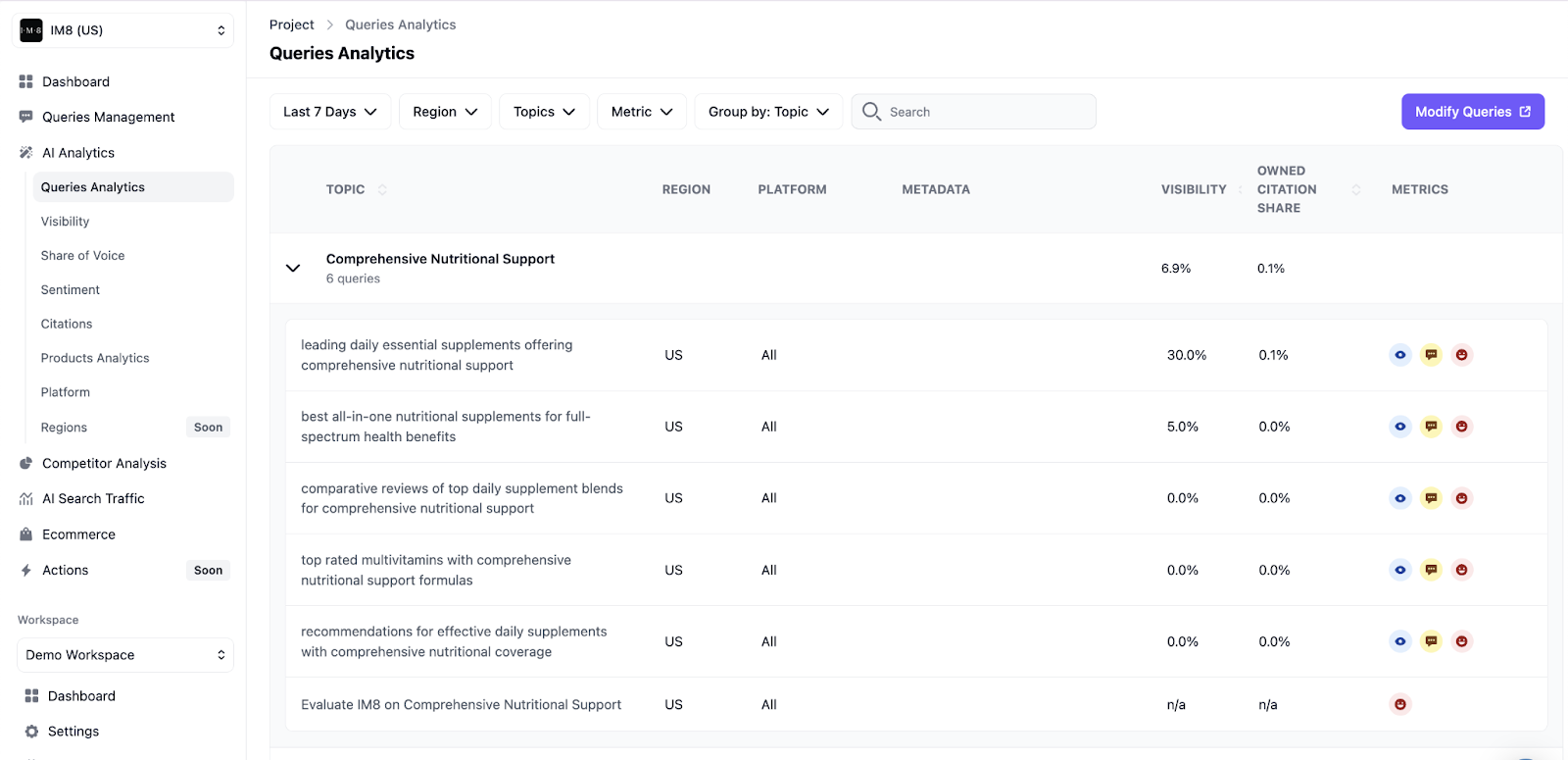
If you’re using an AI search tracker like WorkDuo, it will run your prompt list for you and log visibility and citation share automatically for each query, instead of you tracking everything in a spreadsheet.
You can also research other specialized tools for AI visibility in search to understand how automation replaces manual spreadsheets.
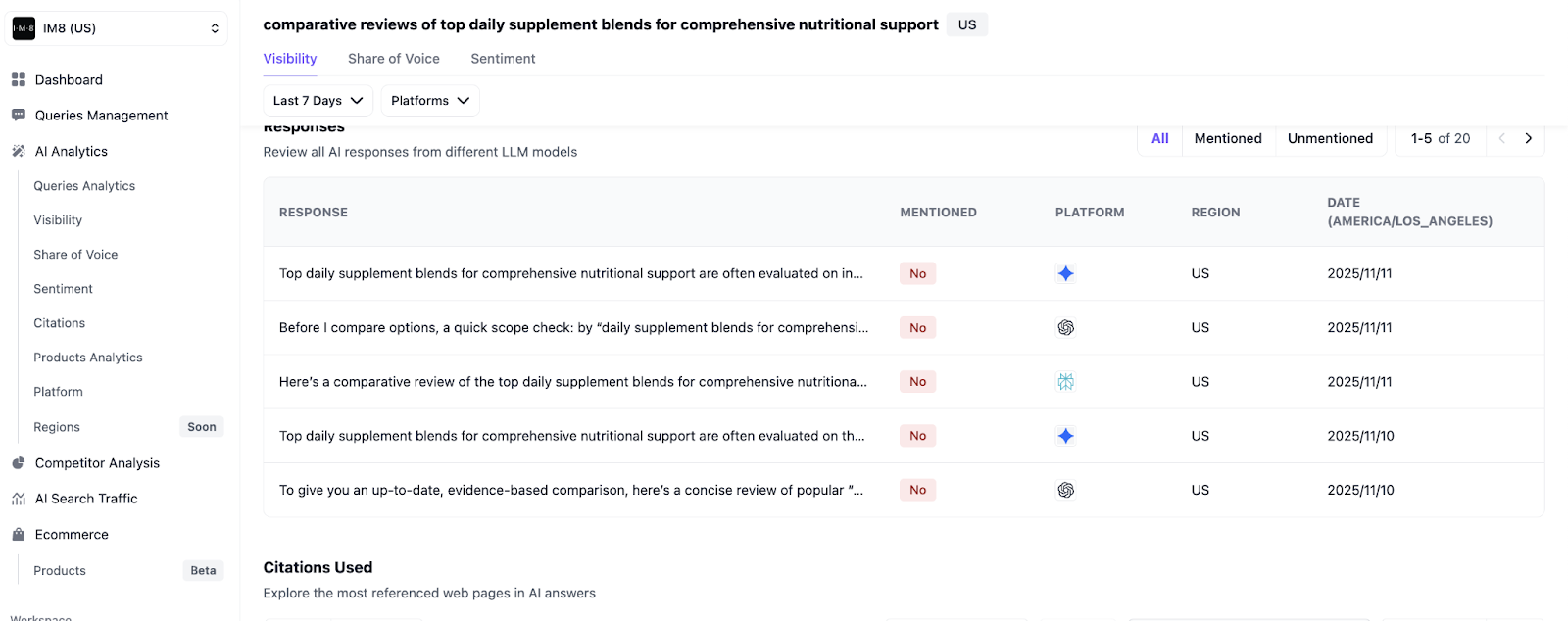
You can also zoom into a single prompt and see every AI answer, whether your brand was mentioned, and which model responded.
Step 3: Analyze How ChatGPT Describes and Ranks You
Review each answer where you’re mentioned and note:
- Description accuracy
- Is your product category correct?
- Are your features, pricing, and target customers described properly?
- Positioning and ranking
- Are you in the “top list” or buried at the bottom?
- Are you framed as “best for X,” “budget option,” or “nice-to-have”?
- Comparisons
- Who are you compared to?
- Do those comparisons help or hurt you?
You can do this manually in a spreadsheet or use an AI search visibility tool like WorkDuo.
WorkDuo will:
- Pull real ChatGPT answers for all your key prompts
- Highlights your brand and competitors
- Pulls out citations, so you can quickly judge whether the description and positioning are correct.
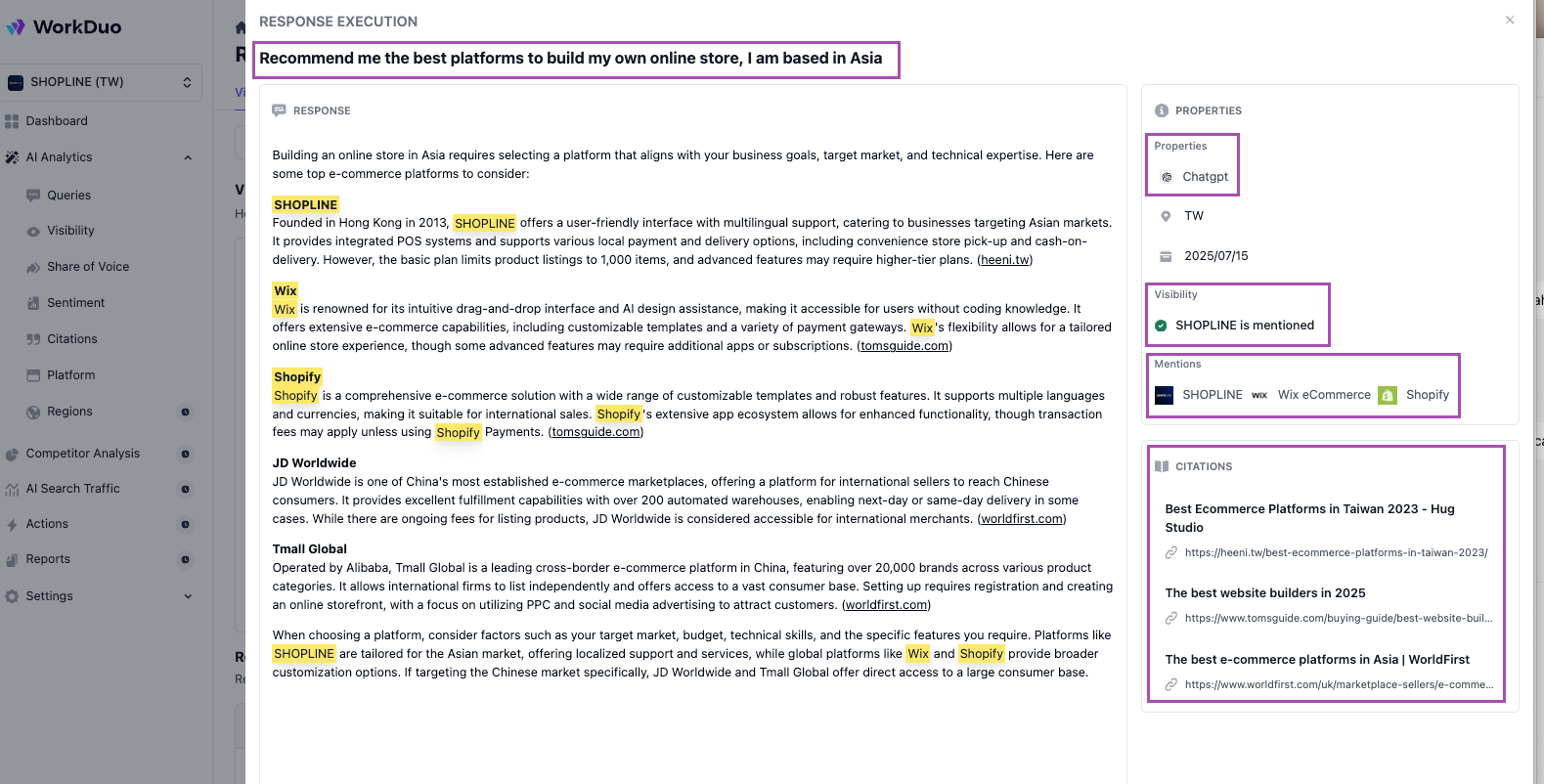
So instead of slicing through rows in a spreadsheet, you can quickly see your overall position in AI answers and where you need to improve.
You can also explore the top AI mode SEO tracking tools to see how automation can replace these manual spreadsheets and provide more accurate data.
Step 4: Use Your Findings to Plan Your Next Actions
Once you’ve logged your results, don’t stop at “interesting.” Turn your ChatGPT audit into a shortlist of actions.
First, group prompts into three buckets: no visibility, inconsistent visibility, and visible but under-positioned. Then prioritize the few closest to revenue, such as “best [category] tools,” “[Brand] vs [Competitor],” and “[category] for [audience/use case].”
For each priority prompt, pick one main fix:
- Messaging: Tighten how you define your category, use cases, and “best for X” on core pages.
- Coverage: Strengthen presence in sources ChatGPT leans on, like comparison posts, review sites, and docs.
- Positioning: Improve comparisons, proof, and clarity so you’re the obvious choice for that prompt.
Step 5: Turn Visibility Checks Into an Ongoing Tracking Loop
ChatGPT answers change as models update, competitors invest, and you publish new content. A one-off audit is useful, but it won’t keep you ahead.
Build a simple habit:
- Monthly:
- Re-run your core prompt set (or let your tool do it).
- Note changes in mention rate, top-3 rate, and how you’re described.
- Quarterly:
- Refresh your prompt list for new markets, features, or campaigns.
- Compare trends: who gained share of voice, who lost, and where you improved (or slipped) in position.
Use a single “AI visibility log” where each row is:
- Date checked
- Platform
- Prompt
- Brand mentioned? (Y/N)
- Position/context
- Key notes/issues
Over time, this gives you a clear story of whether your efforts to update content, improve citations, or fix messaging are actually moving the needle in AI search.
You can also learn more about the ChatGPT SEO tracking tools available today in our in-depth guide to help automate this process.
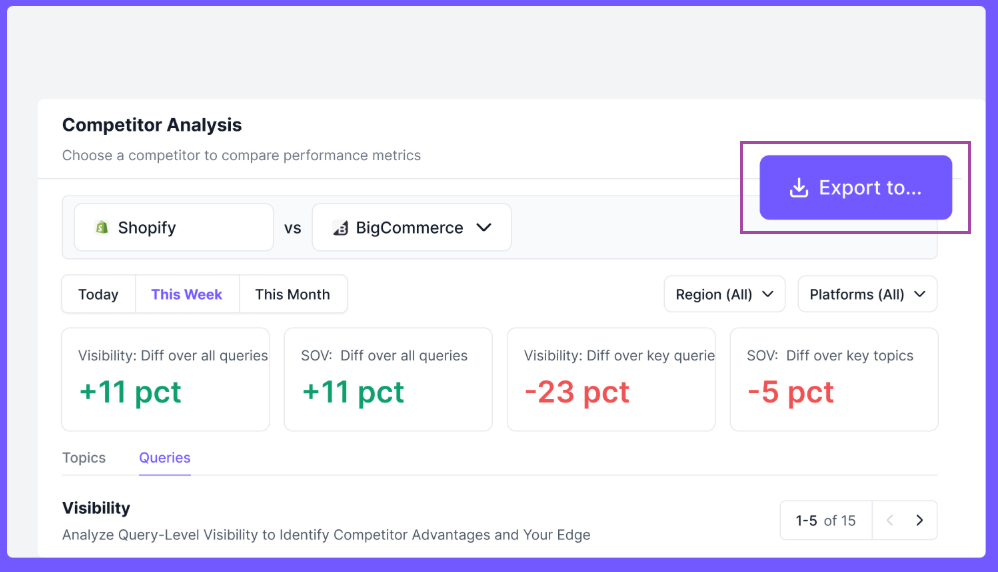
With WorkDuo, an AI search traffic visibility tool that logs, becomes a set of dashboards and exports you can drop straight into stakeholder reports or client decks, with no manual copy-paste needed.
How ChatGPT Decides Which Brands to Show?
Understanding this process requires a shift in strategy from traditional SEO vs GEO (Generative Engine Optimization). Here are the key factors that influence whether your brand appears in its answers:
You can also learn more about the specific GEO monitoring tools for agencies in our in-depth guide.
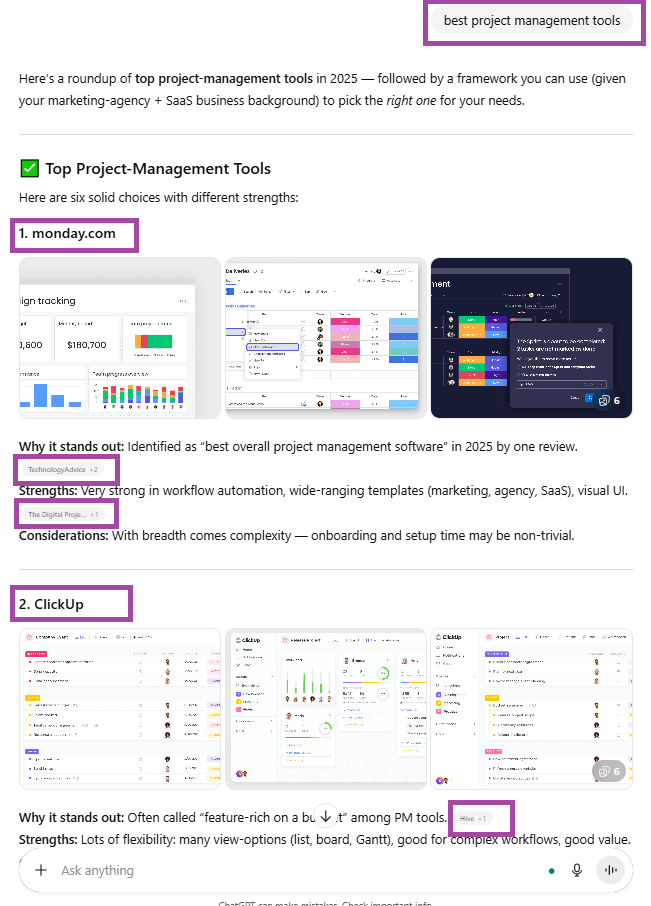
Example: When you search “best project management tools” in ChatGPT, brands heavily covered in reviews, comparisons, and expert roundups are far more likely to appear than a little-mentioned new entrant.
How to Improve Your Brand’s Visibility in ChatGPT?
To stay ahead of the competition, you need a strategy that specifically targets how LLMs crawl and retrieve information. Here’s what you need to focus on to rank in ChatGPT searches more often and more accurately across AI answers.
1. Make Your Pages LLM-Friendly, Not Just Seo-Friendly
ChatGPT lifts sections, not whole articles. Your key pages should:
- Built around a single core question.
- Structure the article so each section adds new, useful information, and together they answer the topic end to end.
- Broken into bullets, steps, and tables instead of dense paragraphs
- Use inverted pyramid style: lead with the answer, then add context, proofs, a
- nd examples.
- Use “Pro tips”, “Expert picks”, FAQs, and call-out boxes to create neat, high-value chunks.
This turns your content into clean, low-risk chunks that models can safely quote.
2. Win on the Sources AI Actually Pulls From
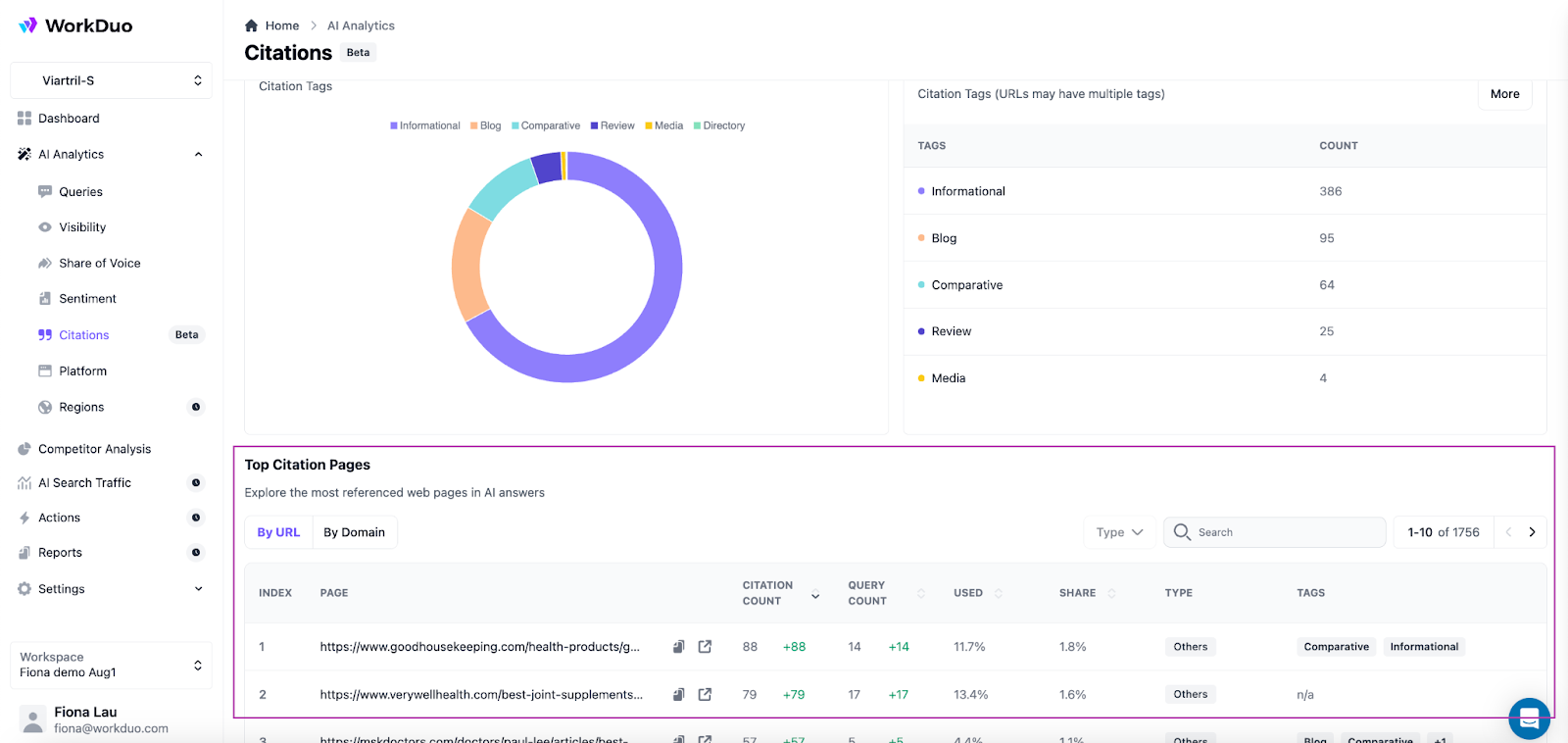
Before creating anything new, figure out where ChatGPT is getting its answers today, then close the gaps.
- Run a few core prompts
- Note the domains and formats that keep appearing:
- “Best X tools” listicles
- Review sites (G2, Capterra, marketplaces)
- Reddit threads and niche communities
- YouTube reviews and walkthroughs
- Product docs and help centres
- Group them into a simple source map: SEO pages, reviews, communities, or videos
Then, for the source types that dominate your priority prompts, deliberately create or improve assets:
- Comparison pages and “best tools” content
- Stronger review profiles with detailed, recent reviews
- Helpful, non-spammy Reddit/forum answers
- YouTube videos with clear transcripts
ChatGPT visibility tool like WorkDuo helps here by showing which domains and formats are most cited for your key prompts, so you can:
- Strengthen content where you already appear
- Pitch reviews or content where competitors are cited, but you’re missing
3. Strengthen Your Entity and Product Signals
ChatGPT needs a clear, consistent picture of who you are to describe you accurately.
Focus on:
- Consistent brand and product names across all pages
- Clear, up-to-date Product, Pricing, and Docs pages
- Interlinked assets so crawlers understand the full context
- A neutral, well-sourced profile or Wikipedia page where appropriate
These help models reliably recognise and represent your brand.
A multi-platform AI tracking tool like WorkDuo can then scan AI answers for your brand across prompts and models; if it keeps describing your category, use cases, or ideal customers differently, that’s a clear sign your entity signals still need tightening.
4. Keep Your Footprint Fresh and Track AI-Specific KPIs
Visibility decays if your site content goes stale. Refresh high-intent pages and key third-party profiles after major launches or changes, then track AI-specific metrics such as mention rate, share of voice, and how AI describes you versus how you want to be positioned.
An AI search command center like WorkDuo can monitor these signals across ChatGPT and other engines so you can see whether your efforts are expanding your AI shelf space over time.
WorkDuo uses real-time browser tracking, not the ChatGPT API like many competitors rely on, which is often inaccurate, providing you with far more reliable, consistent visibility data.
How to Interpret Your Results?
Once you’ve run your checks, look at patterns, not one-off answers:
- You rarely appear for relevant prompts: This points to low brand awareness in AI search and a weak web footprint across review sites, listicles, and communities. Focus on a clear brand definition and stronger third-party coverage.
- You appear sometimes, but inconsistently: ChatGPT half-knows you. Standardise your positioning across your site, profiles, and key directories so signals are consistent.
- You appear, but the description is vague or wrong: Models are pulling from outdated or conflicting info. Update core pages and fix inaccurate descriptions on review sites and partner pages first.
- You appear but sit below the same competitors: You’re in the consideration set, not leading it. Invest in higher-authority mentions, comparison content, and clear “best for X” positioning to shift that ranking over time.
Check Your Brand Visibility in ChatGPT and More with WorkDuo
Manual checks are fine for a one-off audit. But if AI is now a real acquisition channel, you need something more durable.
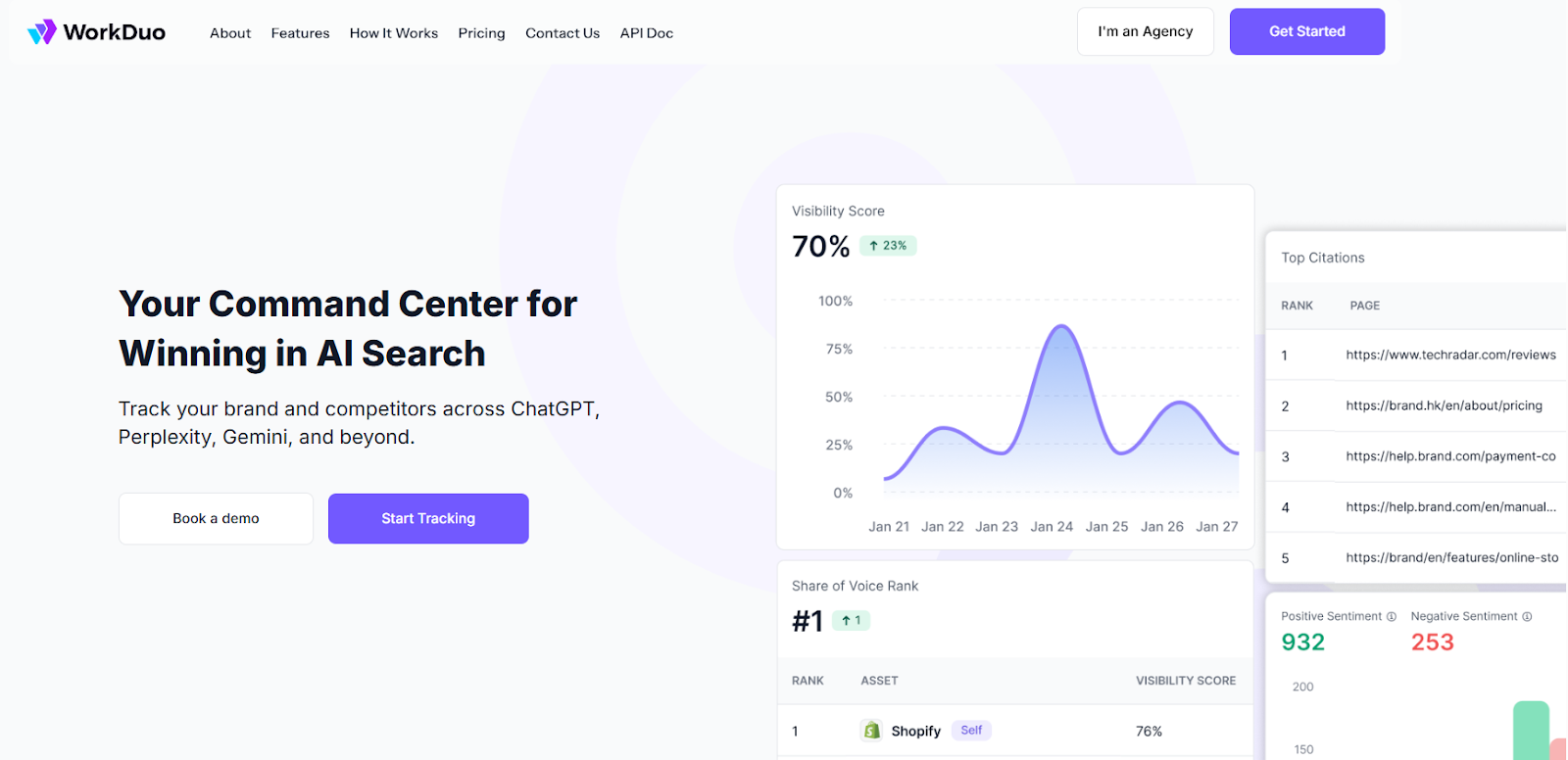
WorkDuo tracks your brand across ChatGPT and other AI assistants, shows who owns the “AI shelf space” in your category, and connects it to traffic and leads, all in a single view.
Fiona is the Co‑Founder of WorkDuo AI, where she helps brands optimize their AI search visibility. Previously, she co‑founded SHOPLINE, a smart commerce platform in Asia, and led its successful exit to a NASDAQ‑listed company in 2022. With deep expertise in scaling tech businesses and working with global investors, Fiona now advises startups on growth and data-driven decision-making, while leading WorkDuo’s mission to improve how brands are represented in AI-driven search.

Ready to try our product?
Sign up for a free consultation with our experts.


Follow Us on Social Media
Follow our profiles for daily updates, behind-the-scenes content, and more.



More articles