How to Track Your Visibility Across Claude: Complete Guide
.png)
- Claude visibility is about more than whether your brand gets mentioned. You need to track how often you appear, where you appear, how Claude describes you, and which competitors show up alongside you to understand your real standing in AI-generated answers
- A reliable tracking process starts with a strong prompt set built around real buyer questions, then logging each response consistently across metrics like visibility, share of voice, sentiment, and position so you can measure changes over time instead of relying on random checks
- The most useful insight comes from reading beyond the mention itself. You need to check whether Claude frames your brand accurately, reflects your core use cases clearly, and positions you competitively rather than just listing you as one option among many
- Claude visibility improves when you turn findings into action. That means fixing weak messaging, strengthening comparison and third-party content, prioritizing prompts closest to buying decisions, and reviewing performance regularly so tracking becomes an ongoing process rather than a one-off audit
If Claude is influencing discovery in your category, you need a way to measure it without relying on random prompts and screenshots. With 18.9M monthly active users, small shifts in how Claude mentions your brand can add up fast, especially for comparison and “best tool” queries.
This guide walks you through tracking Claude visibility step by step, so you can monitor presence, positioning, and competitor context consistently over time.
Understanding Visibility Across Claude
Visibility across Claude is about how often, how clearly, and in what context your brand appears in AI-generated answers to real buyer prompts such as “best [category] tools” or “[Brand] vs [Competitor].” If your brand does not appear in those responses, you may be missing a growing source of discovery and consideration.
In practice, it comes down to a few key questions:
- Presence: Do you appear at all for the prompts that matter?
- Position: When you do appear, are you mentioned early and clearly or placed among less prominent options?
- Narrative: How does Claude describe your brand, and is that positioning accurate and favorable?
- Competitor context: Which competitors appear alongside you, and who gets framed as the best fit for specific use cases?
Together, these signals help show how visible and persuasive your brand is across Claude’s responses.
Step-by-Step Workflow to Track Claude Visibility
Most brands have no idea how Claude talks about them. They assume if they rank on Google, they're probably fine in AI too. They're usually wrong.
Claude is increasingly where buying decisions start, and unlike search, you can't just check a ranking dashboard. You need to actively test it, log what you find, and build a habit around it.
Here's how to do that properly.
Step 1: Build a Prompt List Worth Running
Before you open Claude, get clear on what actually matters. The goal isn't to test every possible question, but it's to test the ones your best customers are already asking.
Think about the moments right before someone shortlists a tool like yours:
- "What are the best [category] platforms right now?"
- "How does [your brand] compare to [competitor]?"
- "I'm looking for an alternative to [competitor] – what do people recommend?"
- "What's the best [category] tool for [specific use case or industry]?"
Step 2: Run Each Prompt and Record What Claude Actually Says
Now open Claude and start working through your list. Two ground rules before you begin:
- Start a new conversation for every prompt. Claude doesn't carry memory between sessions, and you don't want earlier context bleeding into later answers.
- Log which model you're using. Claude Sonnet, Opus, and Haiku can respond differently to the same prompt. Pick one to start, and note it every time.
For each response, capture:
- Mentioned? - Yes or No
- Where? - Leading the list, buried near the bottom, or just a passing reference
- How you're described - A sentence or two on the framing Claude uses
- Tone - Positive, neutral, or subtly negative
- Who else shows up - Competitors mentioned and where they land
- Any citations - Claude is more restrained with citations than some AI tools, so note when they're absent too. It still tells you something about how your brand is being framed
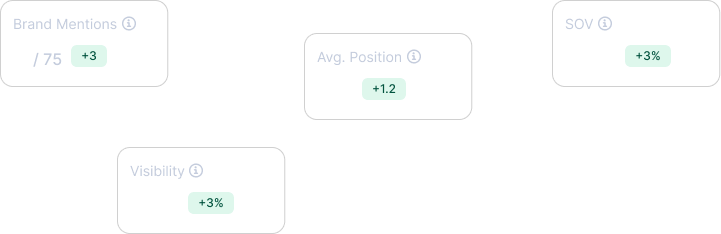
Roll this up into four simple numbers per prompt: visibility rate, share of voice against competitors, sentiment, and position. That's your baseline.
If you're using an AI search tracker like WorkDuo, confirm that it supports Claude, as many AI visibility tools still default to ChatGPT and Perplexity, then let it handle the logging automatically.
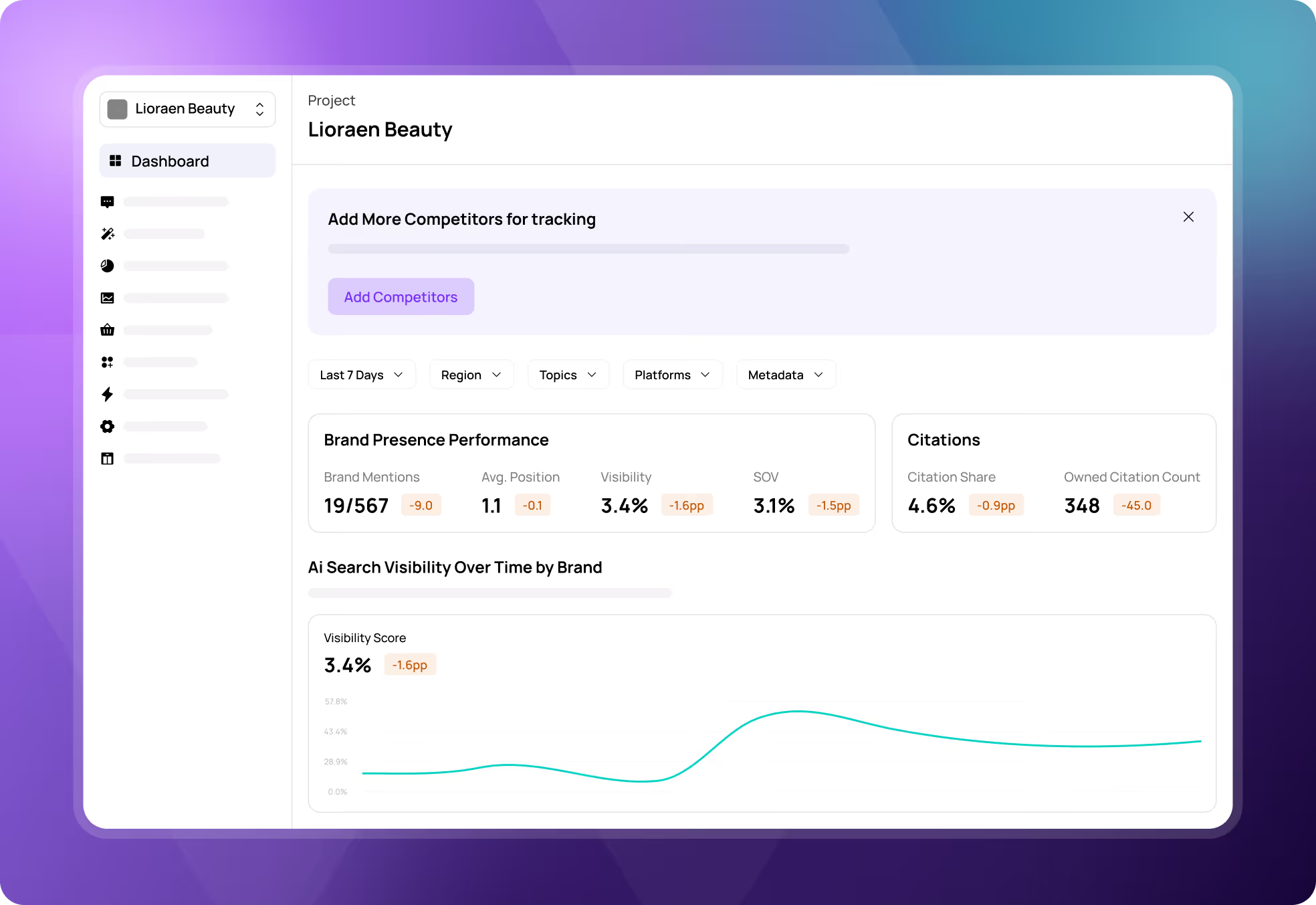
You can explore our evaluated list of the top Claude SEO tracker tools to find platforms explicitly built for this ecosystem.
Step 3: Look Past the Mention and Read How Claude Frames You
Getting mentioned is step one. Understanding how you're mentioned is where the real work is.
Go through each response and ask:
- Is the description actually accurate?
- Does Claude have your category right?
- Are your core use cases and target customers represented correctly, or is the model working off an outdated or watered-down version of your positioning?
- Where do you land in the pecking order?
- Are you framed as the go-to choice, a solid runner-up, or a "depends on your budget" mention?
- There's a big difference between being listed and being recommended.
- Who are you being compared to, and does it help you?
- The companies Claude pairs you with shape how buyers see you.
- If those comparisons consistently work against you, that's worth addressing directly.
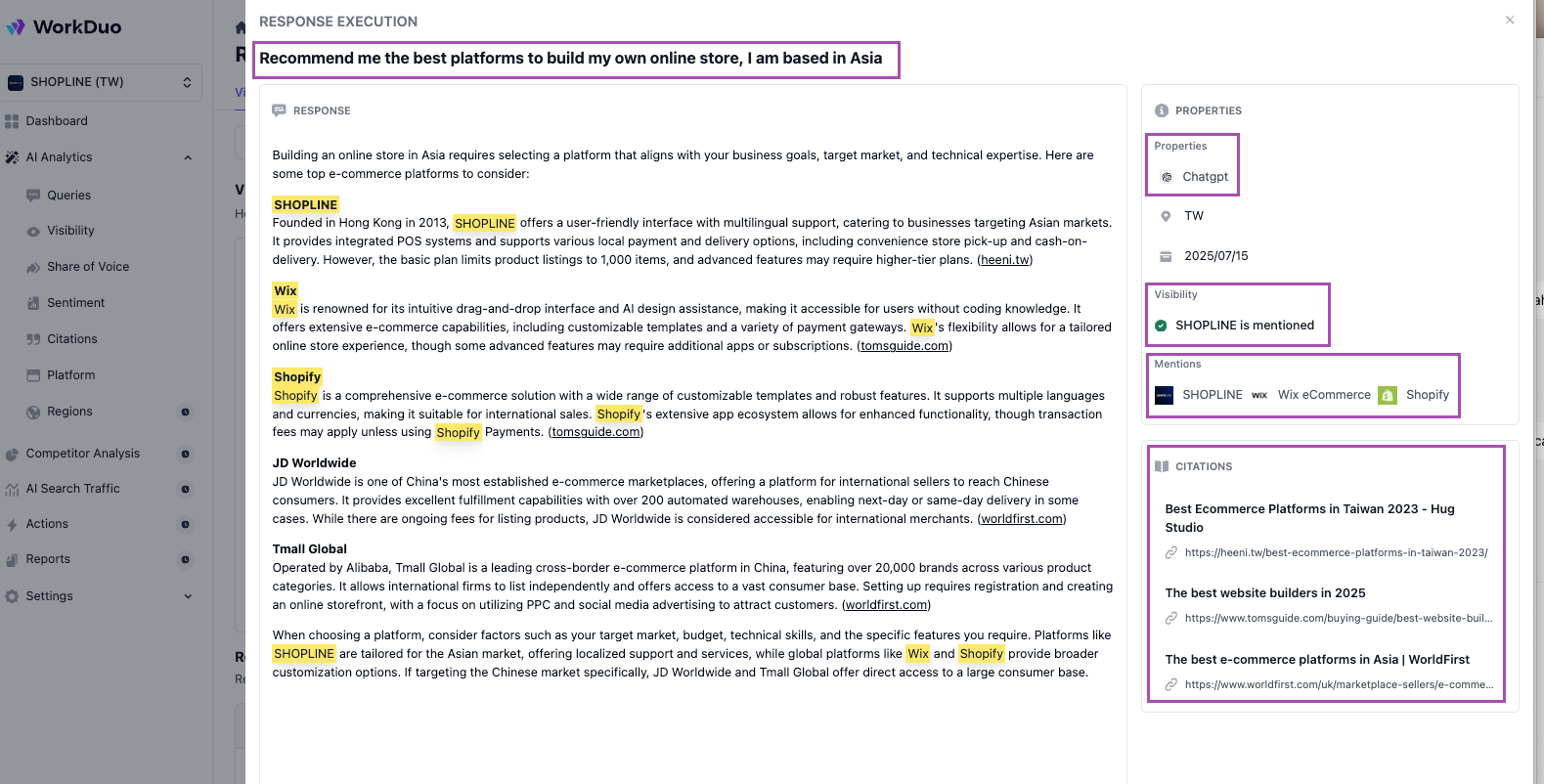
You can do this manually in a spreadsheet or use an AI search visibility tool like WorkDuo.
WorkDuo will:
- Pull real Claude answers for your key prompts
- Highlight your brand and competitors
- Surface citations so you can quickly assess whether your positioning and descriptions are accurate
Step 4: Turn the Audit Into a Short Action List
A visibility audit is only useful if it changes something. Once you've reviewed your results, resist the urge to fix everything at once.
Sort your prompts into three groups: ones where you don't appear at all, ones where you show up inconsistently, and ones where you appear but aren't positioned as well as you should be. Then pick the three to five prompts closest to an actual buying decision and focus there first.
For each priority prompt, one fix:
- Messaging: If Claude is describing you in vague or generic terms, your own content is probably doing the same. Sharpen how you articulate your category, your ideal customer, and your "best for" story on the pages that matter most.
- Coverage: Claude draws on comparison posts, review platforms, documentation, and well-cited editorial content. If you're thin in those areas, that's likely why you're not showing up.
- Positioning: If you appear but don't stand out, look at your proof points, your comparisons, and how clearly you differentiate from the competitors Claude keeps mentioning alongside you.
Step 5: Make This a Habit, Not a One-Off
Claude's answers aren't static. New model versions roll out, competitors publish content, and your own updates take time to filter through. A single audit gives you a snapshot. A repeatable process gives you an edge.
Monthly:
- Rerun your core prompt set
- Track changes in how often you appear, where you rank, and how you're described
- Check whether results vary meaningfully across Claude model versions
Quarterly:
- Refresh your prompt list to reflect new features, markets, or campaigns you're running
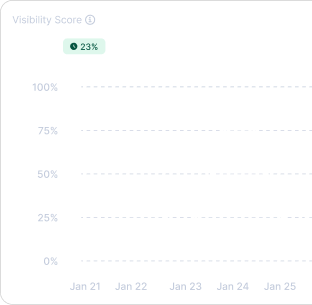
- Look at the trend line to see who's gaining ground, who's losing it, and whether your content and messaging work is actually moving the needle
AI search traffic visibility tools like WorkDuo can turn that log into dashboards and exportable reports.
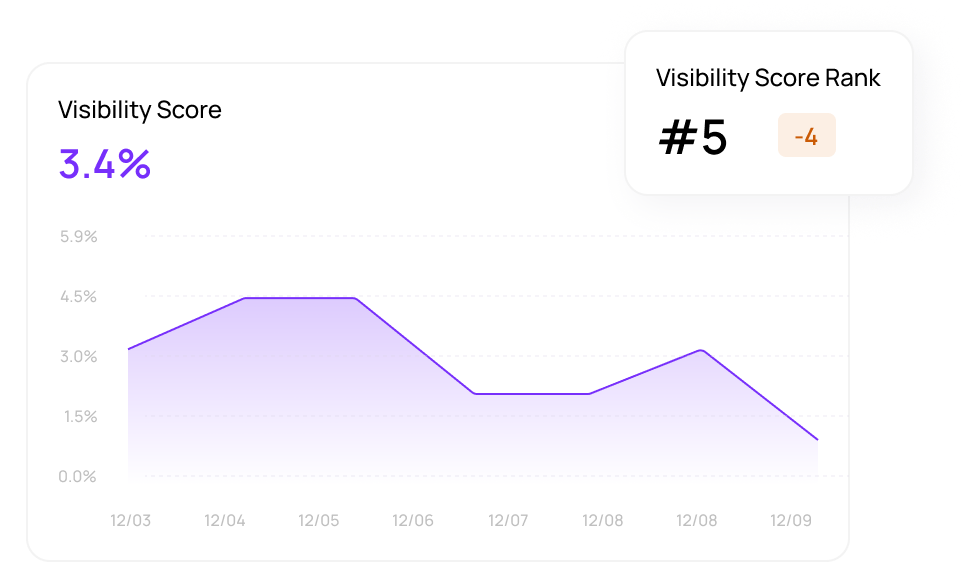
Key Metrics to Track
Here are the key metrics to track if you want to understand how visible and competitive your brand is across AI answers.
This is exactly what an AI command center like WorkDuo is built to track, from competitive visibility and AI answer sources to brand sentiment and positioning across prompts. If you want one place to monitor how your brand shows up in AI search and what to improve next, WorkDuo gives you that view. Get started with a free trial of WorkDuo today.
Common Mistakes to Avoid
These are the common mistakes you need to avoid if you want a clean, reliable view of how visible your brand really is in Claude.
Examples of Visibility Wins
Let’s look at some common examples of what visibility wins can look like in Claude.
Your Brand Starts Showing Up for High-Intent Prompts
One of the clearest wins is when Claude begins mentioning your brand for prompts that signal real buying interest.
- Your brand appears in answers like “best [category] tools” or “[competitor] alternatives”
- You move from not being mentioned to being included in the shortlist
- Your mention is tied to a clear use case or differentiator
Claude Describes Your Brand More Accurately
A visibility win is not just being mentioned, but being described in a way that matches how you want to be known.
- Claude uses the right category or positioning for your brand
- It highlights the strengths you want associated with your product
- The answer feels more accurate and less generic
Community Discussions Start Supporting Visibility
Another good sign is when broader online conversations begin reinforcing your brand presence in Claude responses.
- Relevant community discussions mention your brand in the right context
- Claude reflects those signals in how it recommends or describes you
- Your brand starts appearing for problem-aware prompts, not just branded ones
Third-Party Content Begins Working in Your Favor
Visibility often improves when Claude can pull from stronger third-party signals around your brand.
- Your brand appears in more reviews, comparisons, or roundup articles
- Multiple sources repeat similar strengths or positioning
- Claude starts treating your brand as a more established option
Visibility Gains Start Connecting to Outcomes
The strongest win is when improved visibility starts showing up in business results.
- You see more branded searches, sign-ups, or demo interest
- Referral traffic from AI-driven discovery starts increasing
- You can connect visibility trends to prompts, sources, or conversions
Using WorkDuo Measure & Optimize Your Visibility Across Claude
If you want to turn Claude visibility from guesswork into something you can actually act on, you need a system that tracks prompts, positioning, and competitor context in one place.
Instead of manually logging responses and piecing together trends, use a tool that shows what’s changing and what to fix next.
That’s exactly what WorkDuo helps you do, from tracking mentions to understanding how you’re framed in real answers .
Start a free trial and see what Claude is really saying about you today.
Fiona is the Co‑Founder of WorkDuo AI, where she helps brands optimize their AI search visibility. Previously, she co‑founded SHOPLINE, a smart commerce platform in Asia, and led its successful exit to a NASDAQ‑listed company in 2022. With deep expertise in scaling tech businesses and working with global investors, Fiona now advises startups on growth and data-driven decision-making, while leading WorkDuo’s mission to improve how brands are represented in AI-driven search.

Ready to try our product?
Sign up for a free consultation with our experts.


Follow Us on Social Media
Follow our profiles for daily updates, behind-the-scenes content, and more.




More articles